Swipe. Match. Find Your Next Local Job.
Putora is a swipe-to-match job app for discovering permanent full-time and part-time roles. Review a job, swipe right to express interest, and connect when the employer is interested too. A swipe is not an application or a promise of employment.
What is a swipe-to-match job app?
A swipe job app lets you review opportunities and signal which ones interest you. Putora adds mutual matching: the worker and employer both have to express interest before they match. Swiping is the discovery step; a job match is the start of a conversation about whether the role is right for both sides.
How to swipe to find jobs
1. Create a profile that tells your story
Download Putora and choose the job-seeker role. Add your experience, skills, location, and work preferences so employers can understand what you bring. Review the current plan and access limits in the app before you begin.
2. Discover opportunities and read the details
Browse roles in your area and review the salary, job type, location, and experience requirements shown in each listing. Putora is starting in Southwest Florida, beginning with Naples. The opportunities you see depend on active employers and your preferences; a location guide is not a live vacancy list.
3. Swipe right for jobs that interest you
Swipe right to express interest in a role, or left to pass. Swipe-based job matching helps you make a choice after reading the details. It does not submit a traditional application, reserve an interview, or guarantee a reply.
4. Match with a local employer
Employers review candidates who have expressed interest in their position. When the employer swipes right too, there is mutual interest and a match. One right swipe on its own is not a match.
5. Start a conversation and discuss next steps
After matching, use the in-app conversation to clarify responsibilities, schedules, and expectations. Putora’s mobile listing describes interview scheduling in the app. The employer and candidate decide whether to move forward; matching is not a job offer.
What employers see and do
Businesses create a job posting and review profiles of candidates who have expressed interest in that position. Employers can consider the profile details before swiping. When both sides choose each other, they can discuss the role and arrange the next step. Putora is a hiring app, not a staffing agency that supplies employees.
Swipe to find jobs across different industries
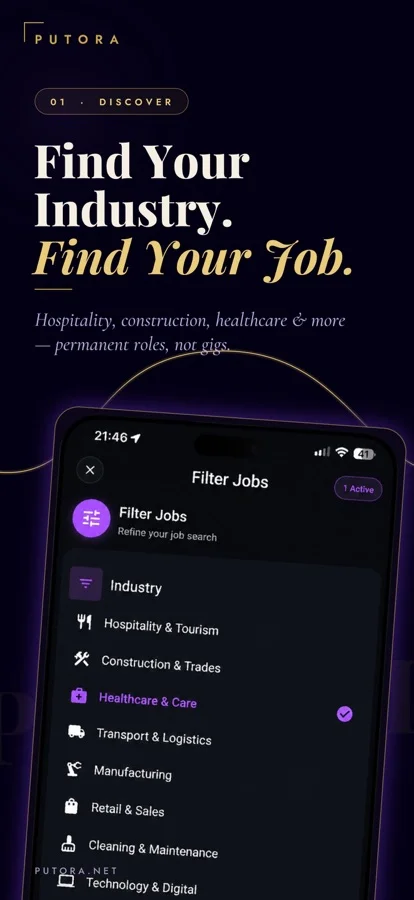
Putora’s published app listing covers hospitality, construction, healthcare, retail, transportation, manufacturing, cleaning services, technology, and office administration. Restaurant and hotel roles fit within hospitality. These categories describe the product’s scope—not a guarantee that a particular role is currently open near you.
Check access before you start
Putora is available on iOS and Android. Free access has limits, and paid options are available. Check the current price, features, and usage limits on the applicable app-store purchase screen; this guide does not promise unlimited free swipes or matching.
Find local jobs that fit your search
Searching for a job matching app near you? Start with the location and requirements on each role. Check the commute, work schedule, experience requirements, and pay information before swiping right. After a match, confirm any missing details with the employer. Putora’s initial focus is Naples and Southwest Florida; active opportunities vary by location and time.
Explore jobs and job-search guidance in Naples · Browse Southwest Florida job guides
Frequently asked questions
What does a swipe job match mean?
A swipe job match means a worker and an employer have both expressed interest. On Putora, a worker swipes right on a role and the employer also chooses the candidate. That mutual interest opens a conversation; it does not mean the worker has been hired.
Can I swipe to match jobs near me?
Putora supports local discovery, starting in Naples and Southwest Florida. Review the location and requirements on active roles and express interest in those that fit. The app does not guarantee that a particular job or employer is available near you.
Does swiping right apply for a job?
No. A right swipe expresses interest. A match requires interest from the employer too. Follow the conversation and the employer’s instructions for any later hiring steps.
What does swiping left do?
A left swipe passes on the opportunity you are reviewing. Read the role details before deciding which jobs interest you.
Can employers swipe through candidates?
Yes. Putora’s mobile app listing describes employers reviewing candidates who have already expressed interest in their position and swiping to indicate their own interest.
Is a match the same as a job offer?
No. A match means both sides expressed interest. It starts a conversation; interviews, decisions, and any offer still depend on the employer and candidate.
Is Putora completely free?
No. Free access has limitations and paid features or plans are available. Review current access and prices in the app and on the relevant app-store purchase screen.
Where is Putora focused?
Putora is starting in Southwest Florida, beginning with Naples. Availability depends on active roles and users. Download availability does not establish local job availability in every city.
Explore Putora
Job-seeker profiles and local discovery · Find workers for your business · Understand mutual job matching · Restaurant hiring with Putora · Hospitality recruitment · Review plans and access · Download Putora for iPhone or Android